

OSRS clan tools / Verify an OSRS account
How to verify an OSRS account for your clan
Anemity verifies an OSRS character with three small XP challenges, so only the player who controls it can connect it. The first two share a 30-minute window and the last has its own 20-minute window.
See how it works1. Start connecting your character
Start from your clan's pinned Discord guide, or choose Add in the OSRS Account menu on your group's progression or Tasks page.
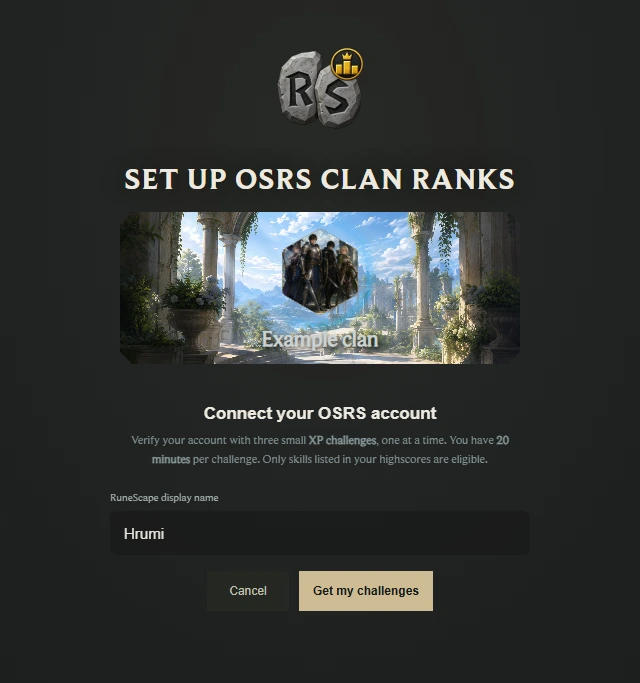
2. Complete the first two XP challenges
Each challenge asks for a small amount of XP in a skill. Complete both within their shared 30-minute window.
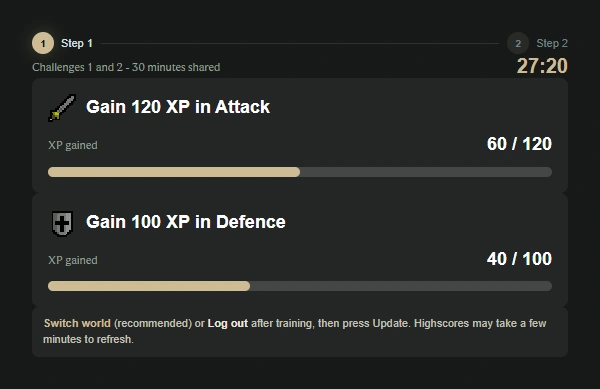
3. Log out or switch worlds, then press Update
The hiscores update after you log out or switch worlds. Press Update to check your progress. The hiscores can take a few minutes to catch up, and leaving the page does not stop the timer.
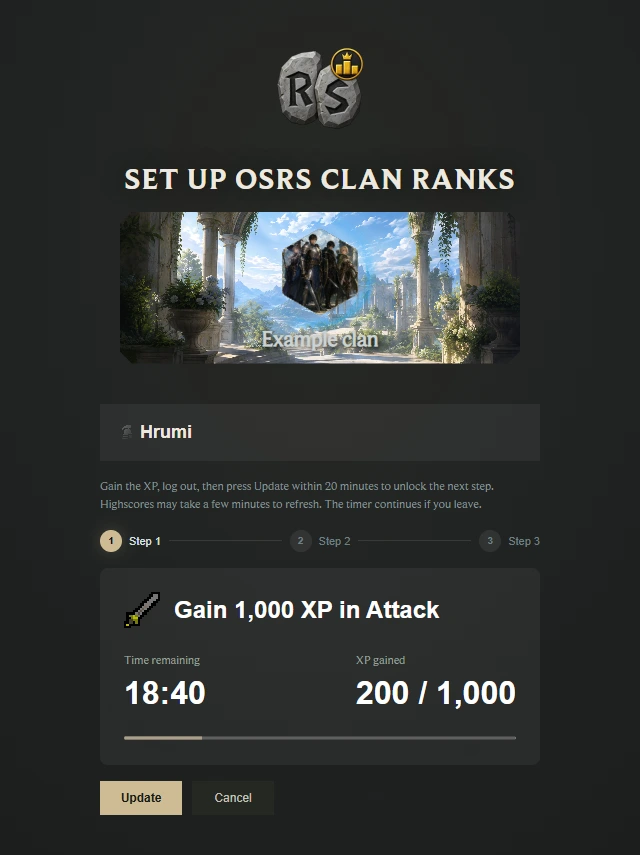
4. Finish the final challenge
The last challenge has its own 20-minute window. Gain the XP, log out or switch worlds, and press Update again.
5. Wait for staff approval
Clan staff approve character connections to the group from Reviews. Once approved, the character appears in the group with its own tasks, points and rank.
Connecting an alt
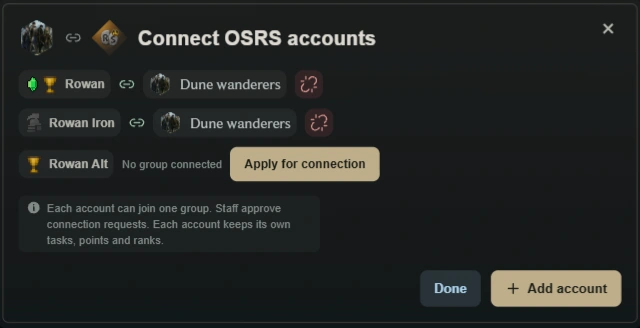
You can connect several characters to the same group. Each has its own tasks, points and rank; achievements are never pooled. Each OSRS account can belong to one Anemity group at a time.
Reclaiming a character connected elsewhere
If your character is already connected to another Anemity account, reclaiming it takes five fresh challenges in batches of two, two and one, with the same 30-minute pair windows and 20-minute final window. Ranks and points are not transferred from the previous owner.
Questions from clan leaders
Why does Anemity use XP challenges?
Only someone playing the character can gain the requested XP in time, so the challenges show that you control it without asking for your Jagex account details.
What if the hiscores have not updated yet?
Make sure you logged out or switched worlds, wait a few minutes and press Update again. The timer keeps running while you wait.
Do I need RuneLite to verify?
No. Verification uses the official hiscores. RuneLite's WikiSync plugin is only needed for tasks based on quests, diaries, combat achievements and the collection log.
Ready to connect? Start from your clan's pinned Discord guide or your group's progression page.
Set up your clan freeAnemity is not affiliated with or endorsed by Jagex. Old School RuneScape and RuneScape are trademarks of Jagex Ltd.