

Latest news / Release update
More adventures, clearer progress: the November update
More OSRS milestones, global leaderboards, separate progress for your accounts, Discord improvements, submission updates and clearer account controls.
Read the storyThere are more reasons to return to your game worlds together. Since our October 18 clan update, we have expanded OSRS goals, made account and rank progress easier to follow, and brought more of that activity into Discord. Across Anemity, community submissions and account settings have also received attention. Here is what has changed, and where to try it.
Bring your main and your alt
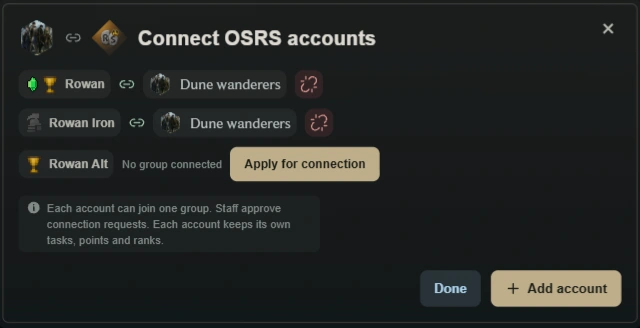
Several OSRS accounts can now connect to the same group, with separate tasks, points and ranks for each character. This replaces the single selected clan character described in our previous update. Each OSRS account can belong to one Anemity group at a time.
Open the OSRS Account menu on your group’s progression or Tasks page to switch between connected characters. Choose Add to manage connections, add another character or apply to connect an existing one. Staff approve connection requests; achievements are not pooled between your accounts.
You can also unlink a character from its group while keeping it connected to your Anemity profile. Joining a group again requires staff approval. The account menu’s Update action refreshes the selected character, with a countdown before another update is available.
Verify two XP challenges together
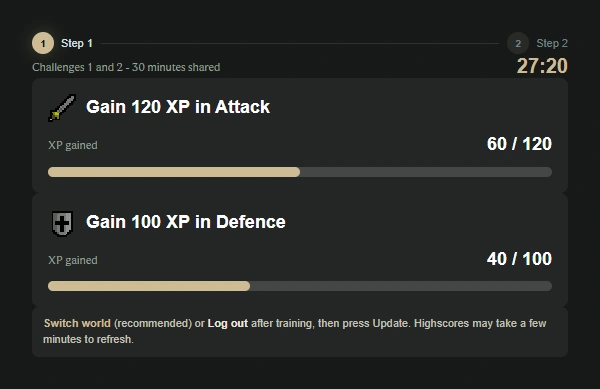
Connecting a character still requires three small XP challenges, but the first two now share a 30-minute window. Complete both, confirm their XP in the highscores, then finish the final challenge within its own 20-minute window.
After training, switch worlds or log out, then press Update. Highscores may take a few minutes to refresh, and leaving the page does not stop the timer. Reclaiming a character uses five fresh challenges in batches of two, two and one, with the same 30-minute pair windows and 20-minute final window.
Clan onboarding now also lets you skip WikiSync for now and enable it later. Tasks that require quests, diaries, combat achievements or collection-log data still need that information to be synced before their progress can be verified.
Keep the character behind the rank in view
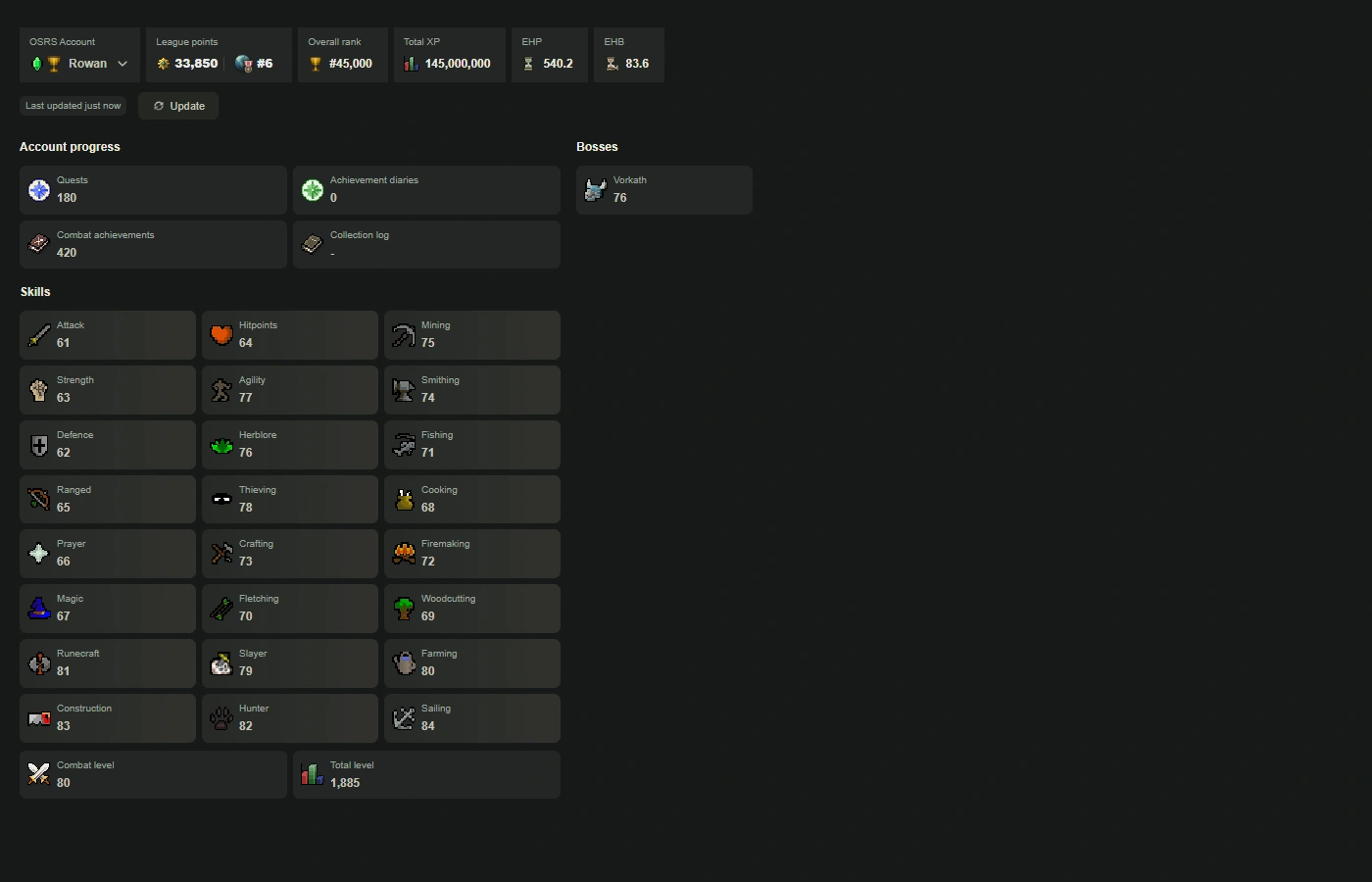
Shared OSRS profiles now show league points and global placement for participating accounts, alongside their clan-rank details. Select a shared character from the account menu or open the selected character directly through View OSRS profile on the group’s account panel.
Quest lists have search and free-to-play or members categories. Completion totals make quests, collection items and combat achievements easier to scan, while relevant detail views offer links to the OSRS Wiki and supported practice tools.
Categories without synced details are marked as locked. Missing data is not presented as completed progress. Account updates have clearer cooldowns and retry controls, and opening a link to a character that is no longer shared explains what happened and offers a route back to available accounts.
Find your next milestone
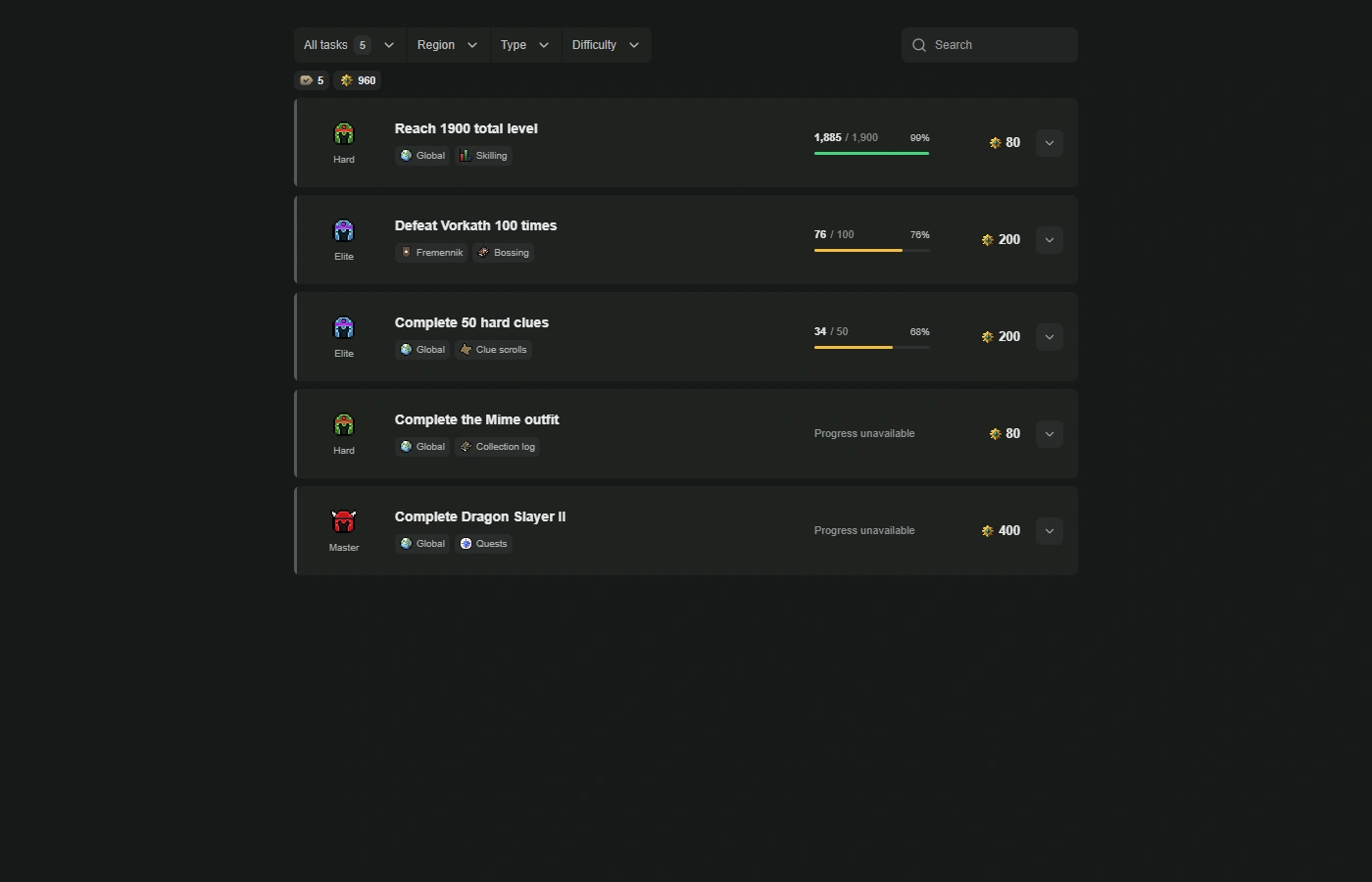
The official Anemity task catalog has grown across skilling, bossing, quests, diaries, minigames and the collection log. There are more intermediate goals between major achievements, so a shorter session can still move your character forward.
The latest completion expansion adds 230 milestones: 9 complete outfits, 130 collection milestones and 91 combat-achievement groups. Outfit completion checks what you have obtained in the collection log; you do not need to keep the outfit in your bank.
- Skilling: new level goals at 65, 75, 85 and 95 across all 24 supported skills.
- Collection log: more individual boss, raid, clue and minigame rewards, more logged-slot milestones, and goals for finishing sets and collections.
- Combat achievements: more point milestones and goals for completing all achievements for a boss or monster.
- Bossing: more intermediate kill-count goals and longer-term targets, with separate curves for activities such as Jad, Zuk and regular raids.
- Quests and diaries: additional goals for total quest completions and total diary tasks, alongside individual completions.
- Minigames: expanded milestones for activities including Guardians of the Rift and Soul Wars.
Updated targets on the official rank path
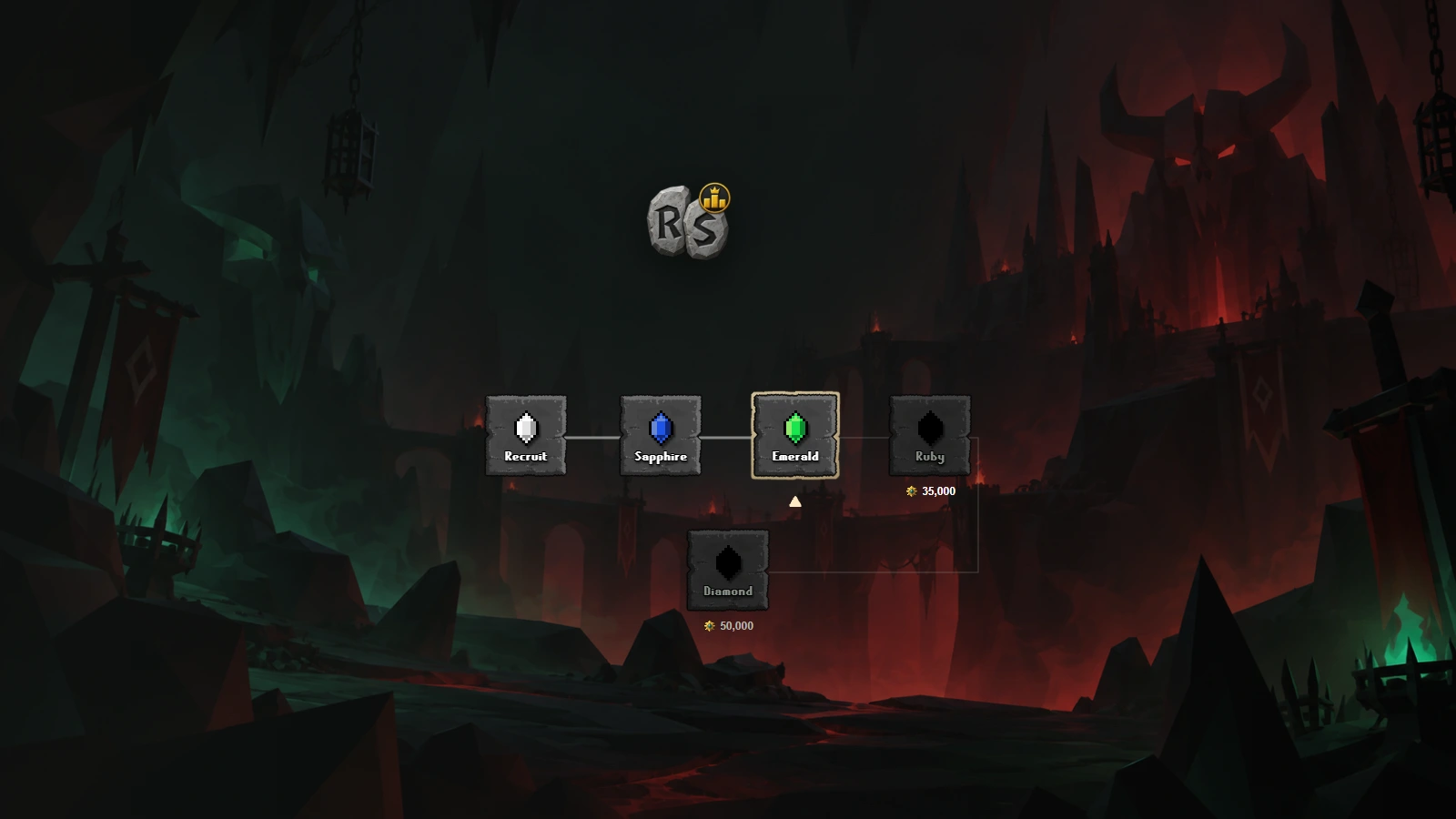
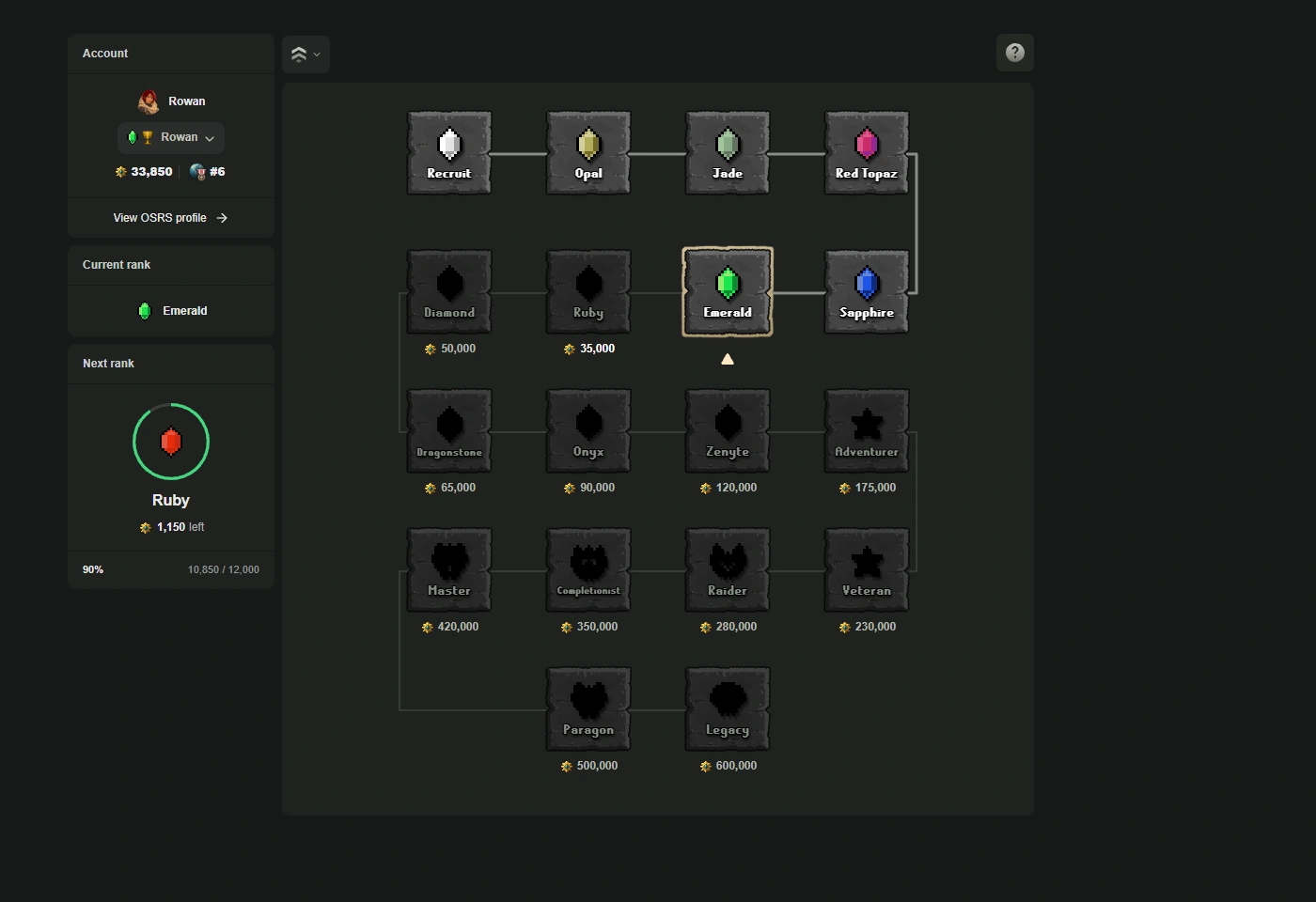
The expanded catalog comes with updated official progression thresholds. Opal, Jade and Red Topaz keep their existing targets. Updated targets for the later ranks are listed below.
The next-rank ring now measures the points earned between your current rank and the next one. For example, Ruby is reached at 35,000 points and Diamond at 50,000. At 42,500, you are halfway through that 15,000-point interval. The ring starts a fresh interval at promotion; your earned points remain yours.
An introduction and page guide explain the account summary, remaining points, rank path and Progression, Custom and Staff categories. Reopen the guide from the help control whenever you need it.
- Sapphire: 14,000. Emerald: 23,000. Ruby: 35,000. Diamond: 50,000.
- Dragonstone: 65,000. Onyx: 90,000. Zenyte: 120,000.
- Adventurer: 175,000. Veteran: 230,000. Raider: 280,000.
- Completionist: 350,000. Master: 420,000. Paragon: 500,000. Legacy: 600,000.
Choose the rank you show in OSRS
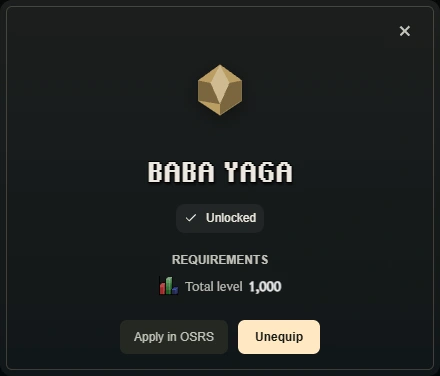
Equipping a custom rank in Anemity and applying it in OSRS are separate choices. Unlock a custom rank, equip its icon, then use Apply in OSRS if you want staff to display that rank in the game.
You can request a switch between progression and custom clan ranks, or change the custom rank used in OSRS. Staff still apply the change in game before confirming it in Anemity. Pending requests, confirmation and acceptance feedback make the stages visible.
Switching rank type has a 24-hour cooldown; changing from one custom clan rank to another has a 6-hour cooldown. Cancel an unconfirmed request to keep your allowance. Staff accounts use their staff rank in OSRS while that assignment is active.
Staff assignments now select specific OSRS accounts. Owner, Co-owner, Administrator and Moderator titles in this integration do not grant Anemity group permissions.
See how your group is doing
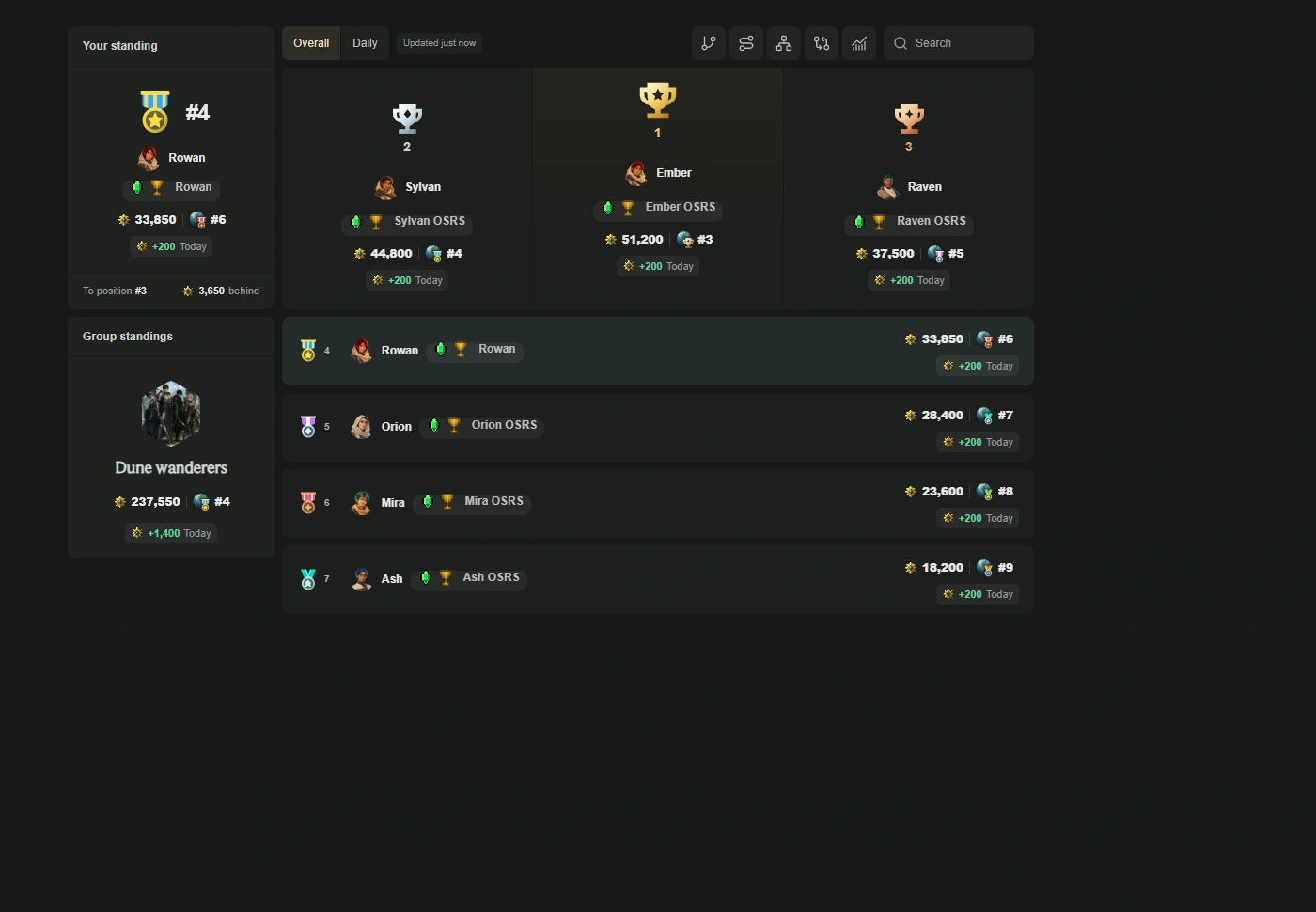
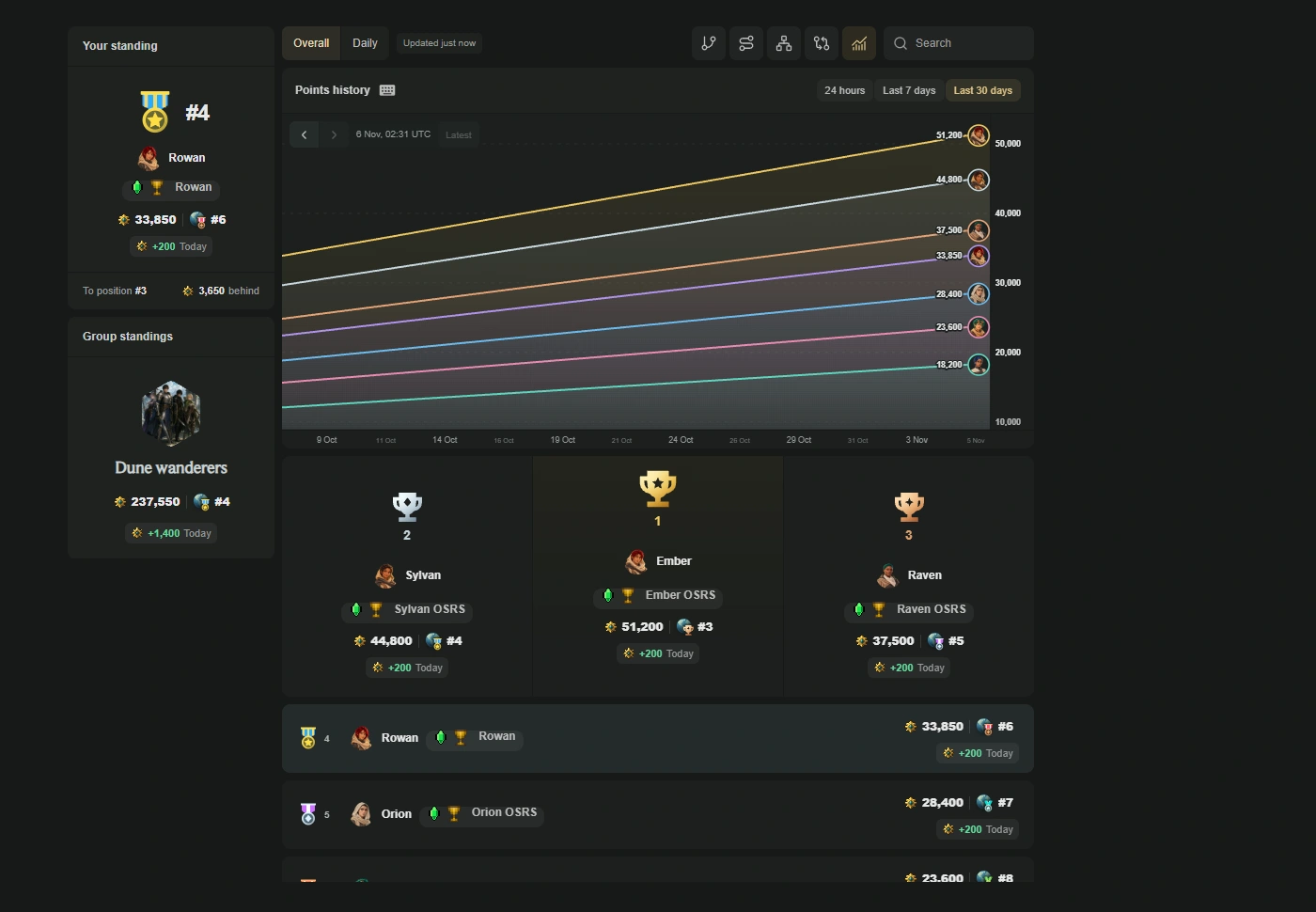
Group leaderboards show account standings, leading players, your own position and the points gap to the account ahead. Group standings keep your shared total and global placement nearby.
The OSRS game page also has Players and Groups leaderboards. Global position badges on profiles and group pages link to the corresponding board. Global standings refresh every 15 minutes, so they may lag behind a recent account update.
Global participation requires the official Anemity league, an enabled OSRS integration and enabled leaderboards. Groups can customise their ranks while remaining on the official task system. Saving edits to official tasks turns the setup into custom tasks, stops automatic official task updates and removes the group from the global competition.
Follow the story behind the points
Switch between Overall and Daily standings to see long-term totals or points gained on a selected UTC day. Today’s point-change indicators show net task-reward changes since midnight UTC, excluding membership changes.
Open Points history to inspect recorded progress across 24 hours, 7 days or 30 days. Select a line to pin the time and values, drag to move around the chart, and use the axis controls to zoom. Latest returns the view to the latest values.
Additional graph views explore points by task category, changes in position, nearby rivals and the contributions behind a total. Global boards also offer views of current participants. Only recorded history is available; earlier untracked periods are not reconstructed as player activity.
Keep a clearer record of clan decisions
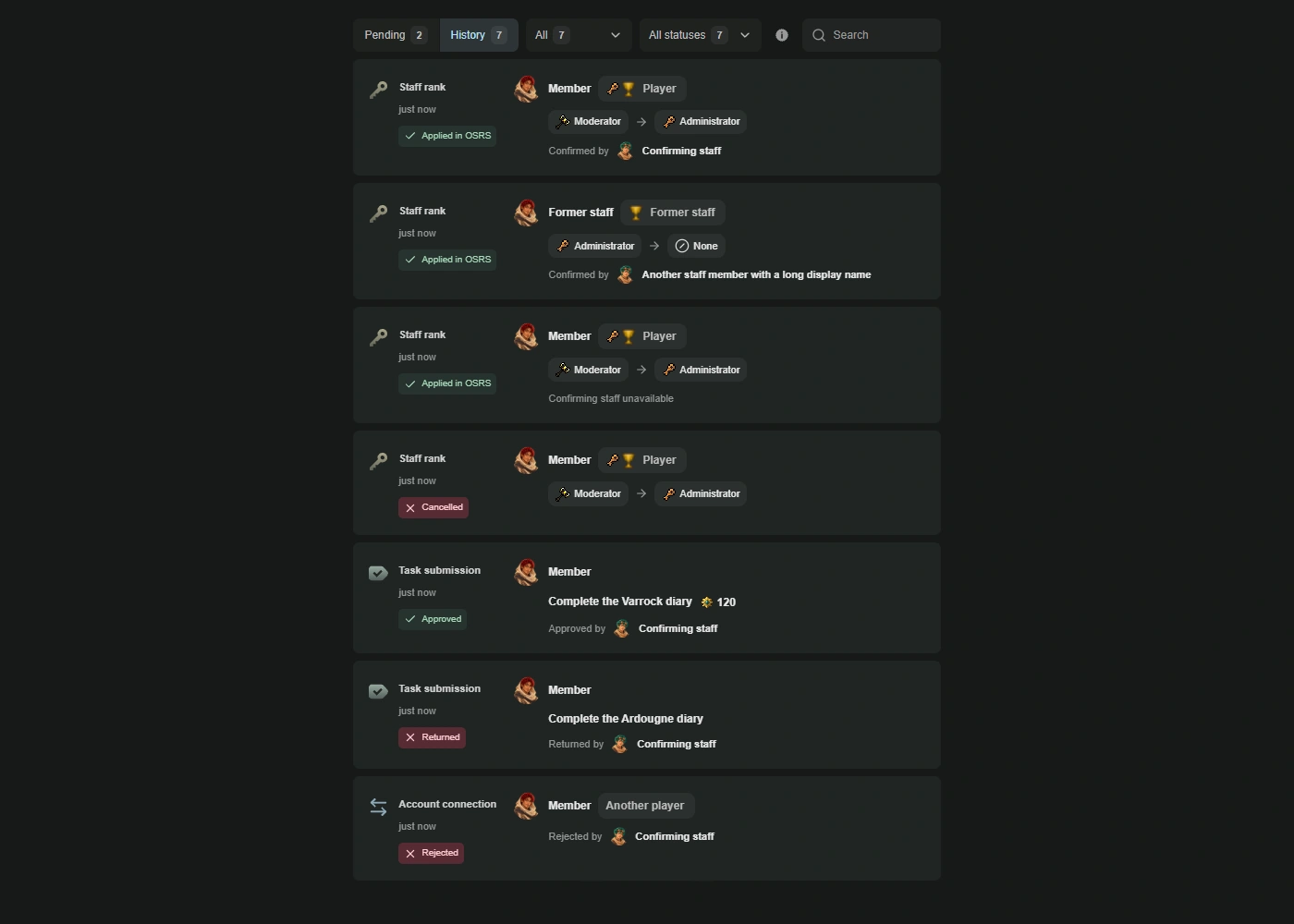
Reviews brings pending rank confirmations, task submissions and account connections together, with type filters, counts and search. Task evidence stays with its submission, and the available actions distinguish confirming a rank, approving a request and returning a task.
The History tab now includes resolved rank, task and account reviews. Filter by type and outcome, then search the current history page. Decisions show who confirmed, approved, rejected or returned them when that staff information is available, along with the resolution time.
Confirm all ranks includes pending ranks hidden by your search or filters. Its confirmation explains that scope. Apply the ranks in OSRS before confirming them here.
Bring standings and reviews into Discord
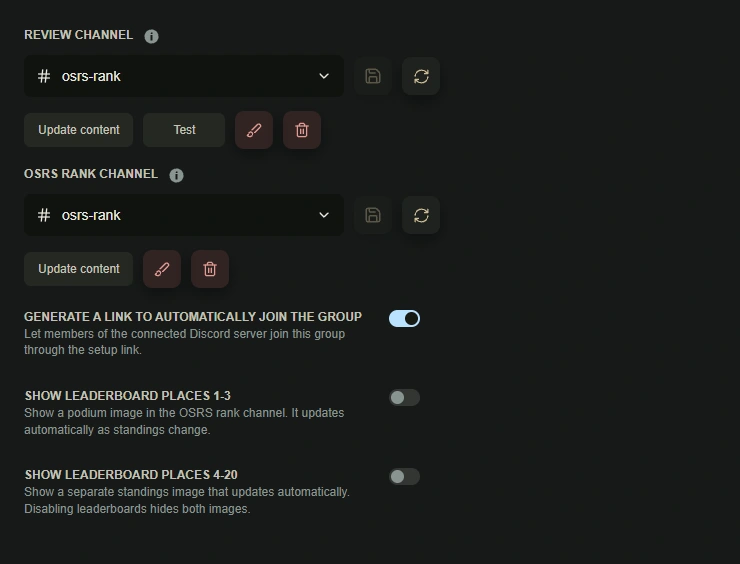
Discord setup now guides staff through enabling the integration and connecting a server. Group settings keep the OSRS and Discord sections close through their integration navigation.
The OSRS rank channel can show an automatically updated top-three podium and a separate places 4-20 standings image. Staff can enable either view. Updated rank-review and account-connection messages make requests and their outcomes clearer in Discord.
Channel controls also include Update content, plus separate options to purge messages or delete a configured channel. Purging permanently removes messages while keeping the channel; deleting removes the channel and its saved integration settings. Both actions explain what will be removed before proceeding.
Follow the ideas and bugs you submit
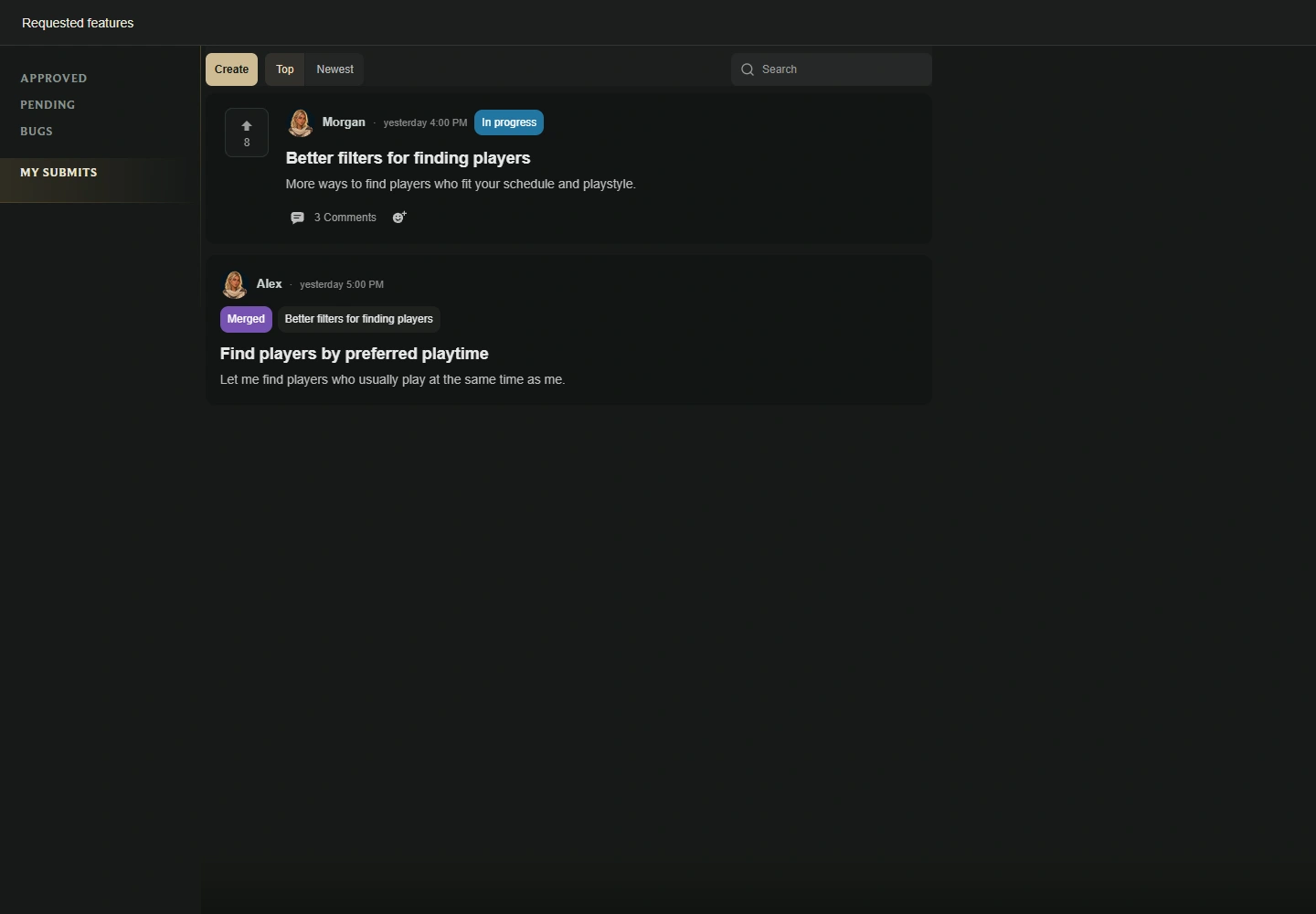
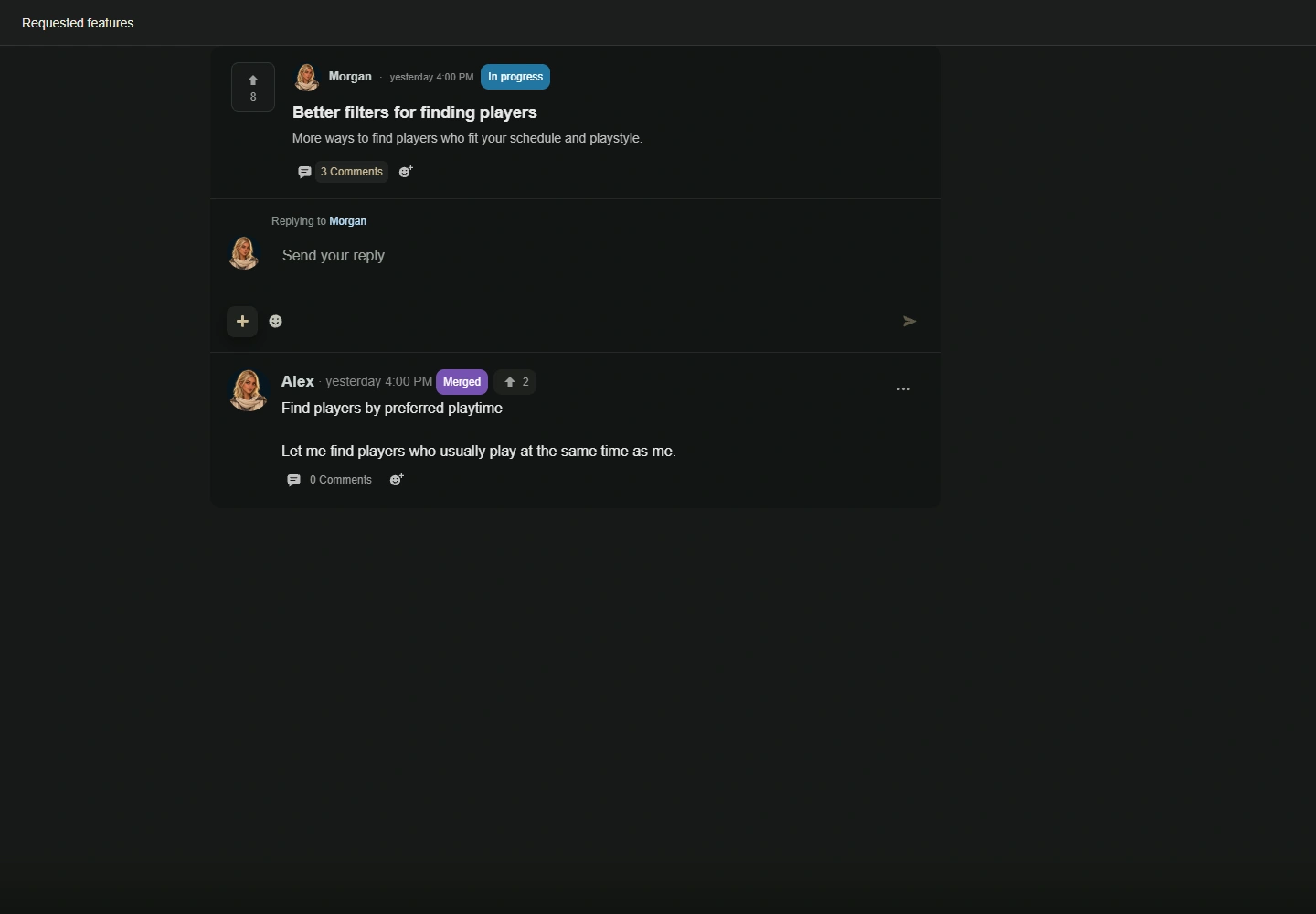
Requested features has a clearer feed, search and creation controls, with focused discussion pages for suggestions and bug reports. Status badges distinguish Pending, In progress and Implemented, and team replies are identified in the discussion.
When submissions cover the same issue, they can be merged into one discussion. Your original stays in My submits, with a Merged badge and a link to its destination. Merged context remains visible in the destination discussion, including the original upvote count at the time of merging when available. That count is locked; active voting and discussion continue on the destination.
Unread indicators now flag submission status changes, merges and replies from other people or the team. Look for them on the menu, Requested features, My submits and individual updated submissions.
Keep the discussion together
Submission detail pages keep the request, replies and merged-source context together in a familiar post-style layout. Replies and moderation updates can refresh while the page is open.
Opening an updated discussion marks the updates you have successfully read. A new update arriving during that read remains unread, so a fresh reply does not disappear into an earlier notification.
Make everyday group browsing easier
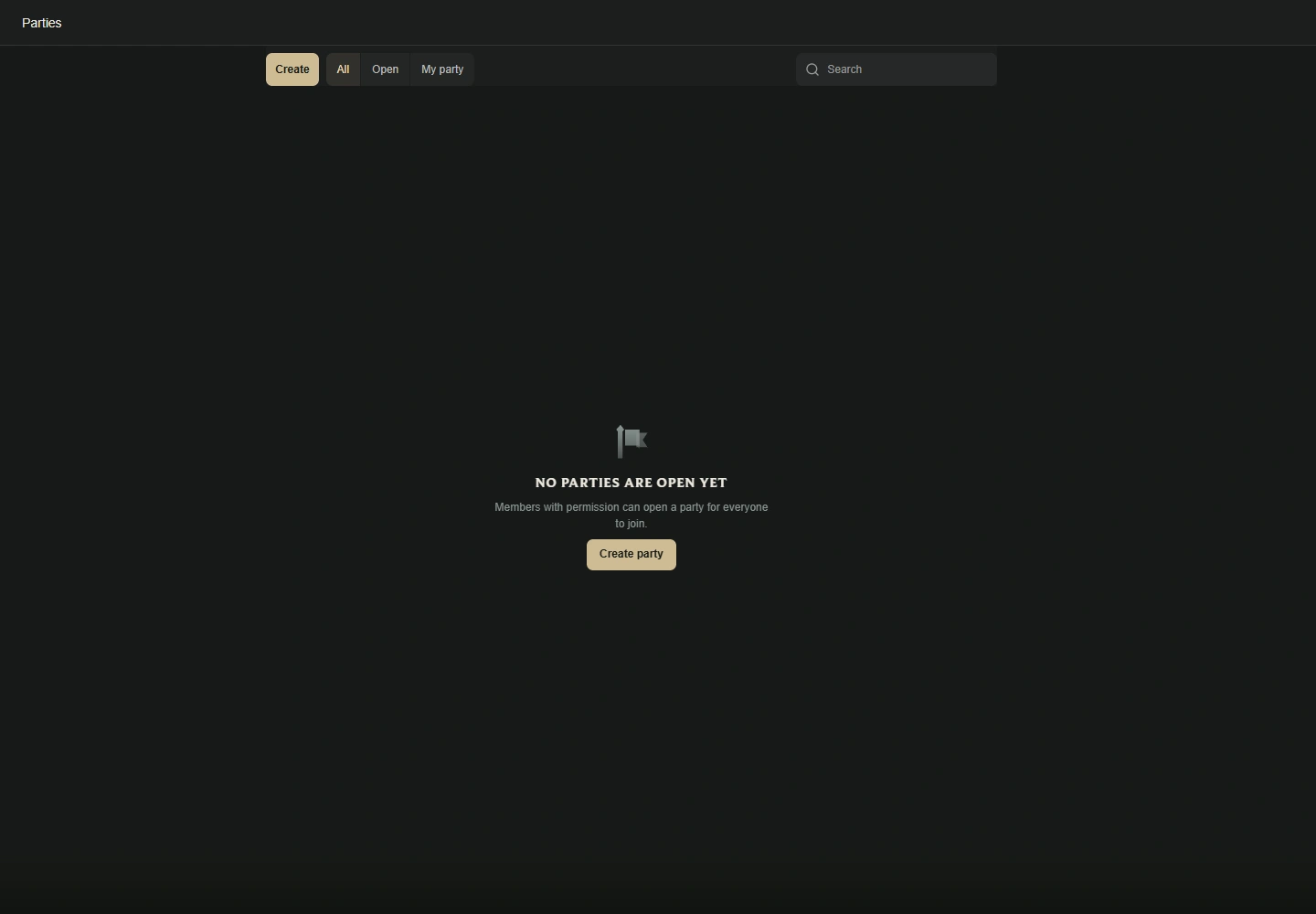
Group lists now share clearer search, filters and creation controls. Member search recognises Anemity names and OSRS accounts, with All, Online and Staff filters. Parties and Posts keep their creation actions close to the list.
Tasks have clearer selected filters and result counts, and reveal more results as you scroll while keeping the existing rows in place. Sticky controls, steadier loading layouts and more useful empty states make it easier to keep your place across Tasks, Reviews, Leaderboard and group feeds.
Group settings bring roles, default permissions, member actions and integration controls into a more consistent workspace. Owners can choose whether their Owner badge appears in member lists. The Administrator permission explicitly explains that it includes access to private group channels, so staff can make an informed choice when granting it.
Ask about your data from Settings
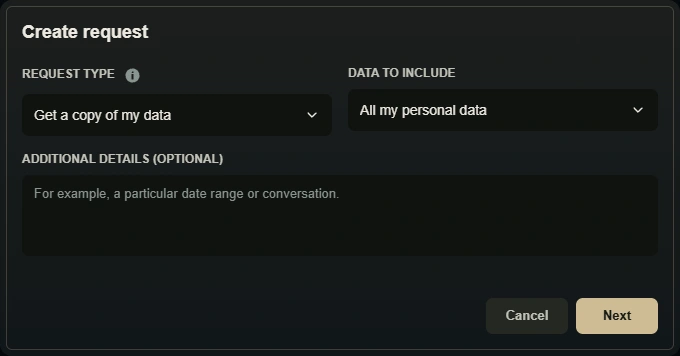
Settings > Privacy & Data now includes a request form for a copy of your information, removal of personal details, questions about retained data or another privacy request. Access requests can specify a data scope; removal requests can include content links or IDs and the details needing attention.
An optional reason survey helps explain your request without changing how it is handled. Successful submission gives you a reference. If you cannot sign in, privacy contact details remain available from the authentication screens, including after account deletion.
A personal-information removal request is separate from deleting your Anemity account.
Clearer sign-in and account-deletion controls
Account settings organise General, Security and Privacy & Data in one workspace. Connected sign-in methods have clearer confirmation, loading and retry states. You must keep another way to sign in before disconnecting your last method.
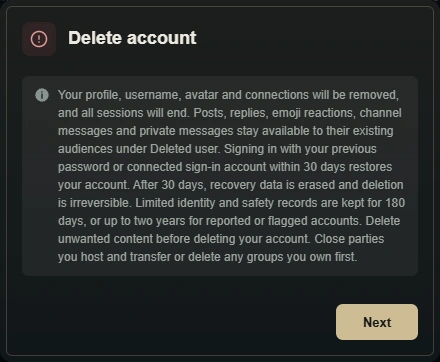
The deletion flow explains the outcome before identity confirmation, offers the sign-in methods available to your account and includes a reason survey. Close parties you host and transfer or delete groups you own before continuing.
Deleting your account does not remove every message or post. Shared content remains available to its existing audience under Deleted user, so remove unwanted content first. Your sessions end, and signing in with your previous password or connected sign-in account within 30 days restores the account. After that recovery window, deletion is irreversible.
The flow also explains that limited identity and safety records are retained for 180 days, or up to two years for reported or flagged accounts. Privacy contact remains available if you want to ask about retained information.
Open your group, choose the next task or invite someone back for another session. These updates are here to make shared play easier to start and easier to return to. OSRS character ranks are available now; Anemity’s group-level progression, alliances and Imperium governance remain planned features. Every world is worth saving.
Open AnemitySee you on the next adventure,
The Anemity team