

Latest news / Release update
Anemity 1.2: voice, conversations, and organised channels
Voice calls and messages, richer conversations, channel catalogs, language preferences, and more ways to sign in and plan your next adventure.
Read the storyAnemity 1.2 brings more ways to talk, organise, and return to play together. Call a friend, join your party in voice, leave a recorded message, or keep a busy conversation clear with replies and reactions. Here are the player-facing updates since 1.1, all built around helping your communities keep their game worlds alive.
Talk with your friend or party
-
Call a friend
Start a voice call from your conversation.
-
Join your party
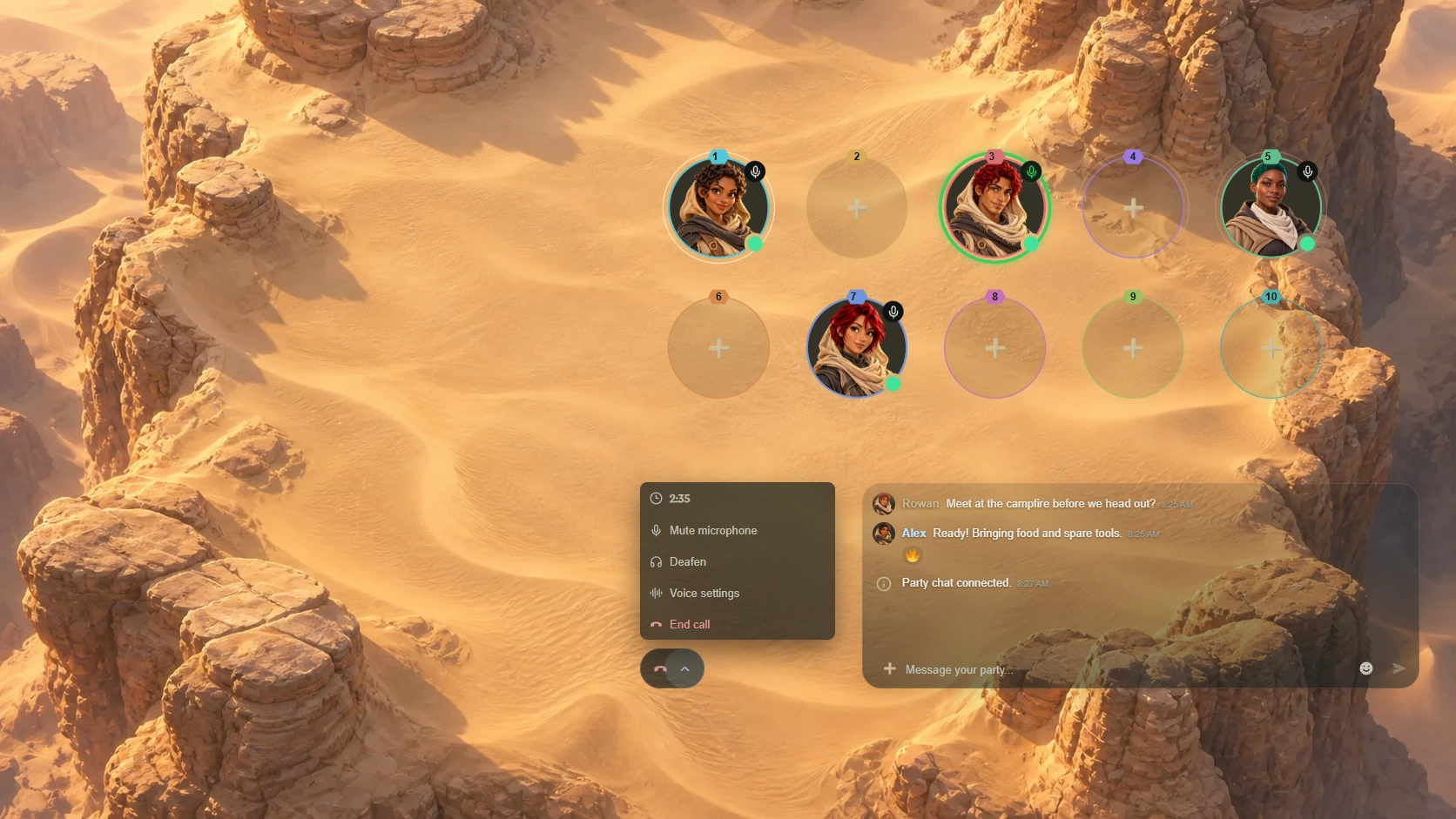
Open the Formation and join party voice.
-
Keep controls close
Manage the current call from the app header.
Voice calls are now part of conversations and party Formations. Start a call with a connected player, or join your party in voice while you prepare for the next adventure.
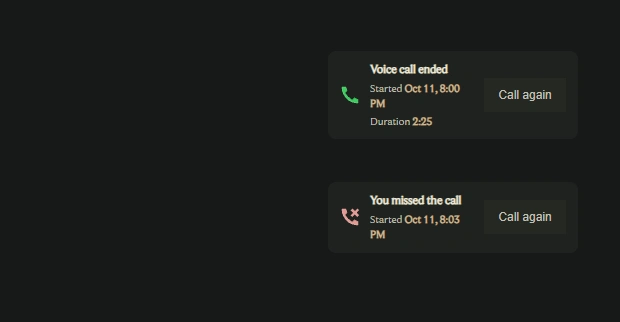
Incoming calls have answer and decline controls. The app header keeps call controls available as you move between pages, with a duration display, an end-call action, and access to voice settings.
- Call history: conversations show ended, missed, declined, and busy call attempts, with start times and duration where available.
- Call again: call-history entries let you retry, with a countdown when you need to wait before another attempt.
- Busy players: clearer feedback explains when someone is already in another call.
- Party controls: join, disconnect, mute, deafen, and open settings from the Formation voice controls.
- Connection feedback: speaking, microphone, deafen, connection quality, and reconnecting indicators help explain what is happening.
Set up voice your way
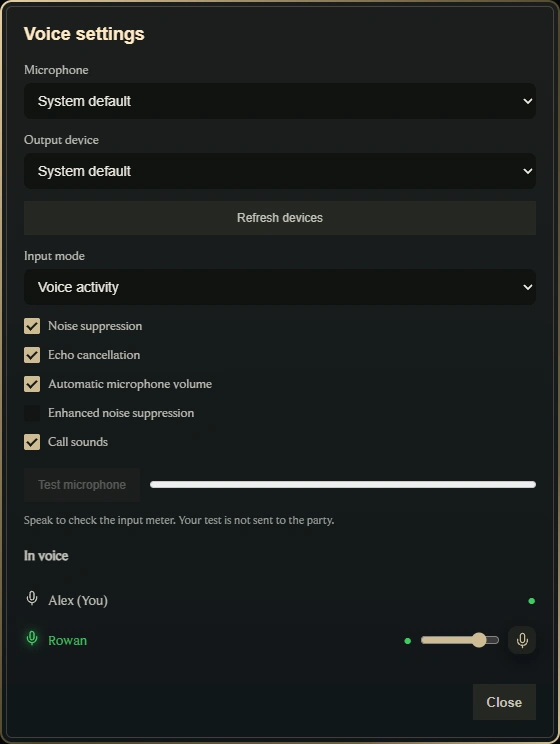
Voice settings bring device selection and audio controls together. Choose your microphone and, in supported browsers, your output device. Refresh the device list when you connect a new headset.
Choose voice activity or push to talk, with a selectable push-to-talk key. Push-to-talk shortcuts work while Anemity has focus.
- Control noise suppression, echo cancellation, and automatic microphone volume. Enhanced noise suppression is available when supported by the voice server.
- Turn call sounds on or off.
- Test your microphone with an input meter while disconnected from voice.
- Adjust another participant's volume or mute them for yourself in voice settings or their player card. These controls affect your own playback.
- Microphone permission, unavailable-device, playback, and connection notices now give clearer next steps.
Leave a voice message
When your friend is away or an explanation is easier to say aloud, choose Voice message from the attachment menu. Record, stop, and listen to the preview before sending. You can record again or discard the draft.
Sent recordings have a waveform, playback controls, seeking, and playback-speed selection. Voice messages use the shared attachment composer in conversations, text channels, and party chat.

Replies, reactions, edits, and forwarding
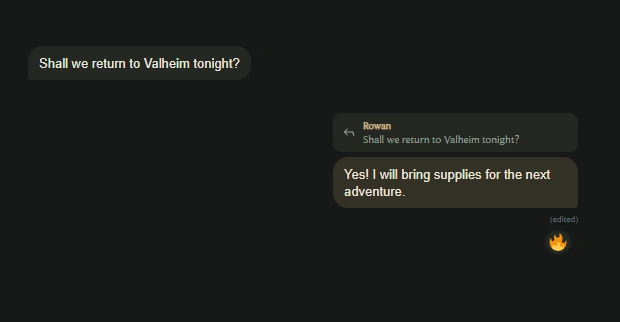
Busy conversations are easier to follow with replies to individual messages. A quoted preview keeps the context beside your answer. Select it to find the original message, or expand the preview when the source is outside the loaded history.
- Reactions: add or remove emoji reactions on conversation messages, reuse recent reactions, and inspect reaction details. New reactions animate as they arrive.
- Edits: correct the text of your own messages in place. An edited marker and timestamp make the change visible.
- Forwarding: choose Forward from message options, search for a destination conversation, and send the message there.
- Message options: reply, edit when available, copy, react, and forward share a consistent menu, with a message preview on mobile.
- Layout: refined message spacing, attachment placement, reply previews, and scrolling keep the discussion readable across screen sizes.
Make a plan inside the conversation
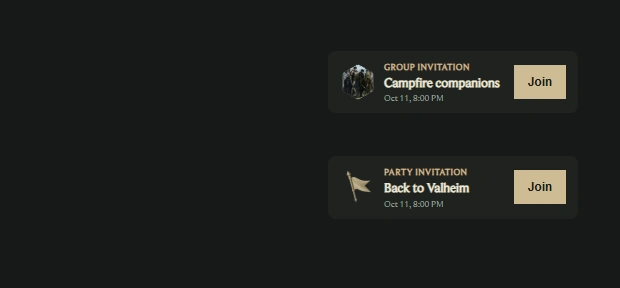
Group and party invitations now appear as cards in your conversation. Join from the card, open the destination when available, and see when an invitation has been declined or is no longer available.
The Create a party together action lets eligible connected players create a party and invite their conversation partner in one step. Add a party name and optional description; the invitation appears in the same conversation.
Player and conversation menus bring eligible group invitations, party invitations, and party creation closer to the discussion.
Keep party chat beside the Formation
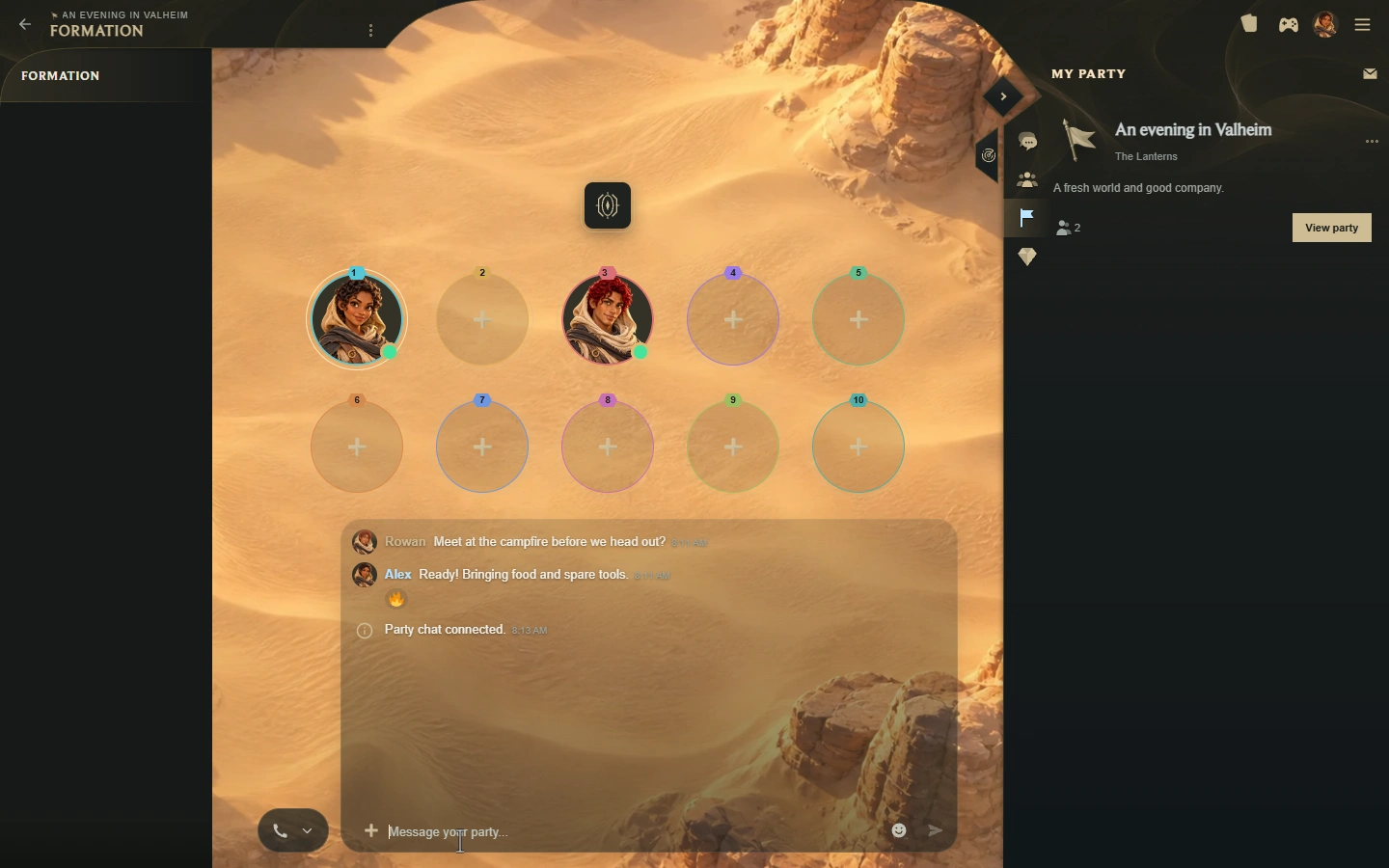
Party chat gives the party its own conversation above the Formation. It expands while you write, select emoji, attach files, or inspect media, then returns to a compact stream of recent activity.
- Send text, emoji, and file attachments, with draft previews and media viewing.
- React to party messages with emoji. Recent reaction activity appears in the compact chat preview.
- See party joins and departures, position-swap offers and outcomes, and your voice connection notices alongside the chat.
- Chat and voice connection attempts have clearer status feedback.
- Refined preview motion and scrolling make it easier to follow activity without losing your place.
Drop or paste files into your draft
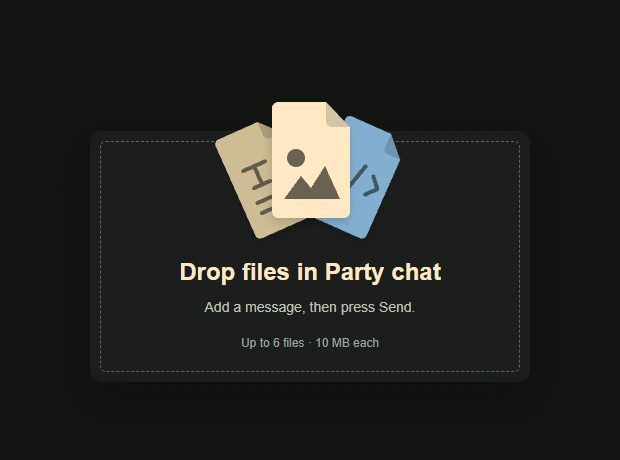
Drag and drop files into a conversation, text channel, or party chat. The drop overlay identifies the destination, and selected files appear in the draft for review before sending.
You can also paste supported clipboard files into the attachment composer. Draft previews, removal controls, upload progress, and retry or draft-restoration actions help you finish sharing when an upload needs another attempt.
Choose when notifications can wait
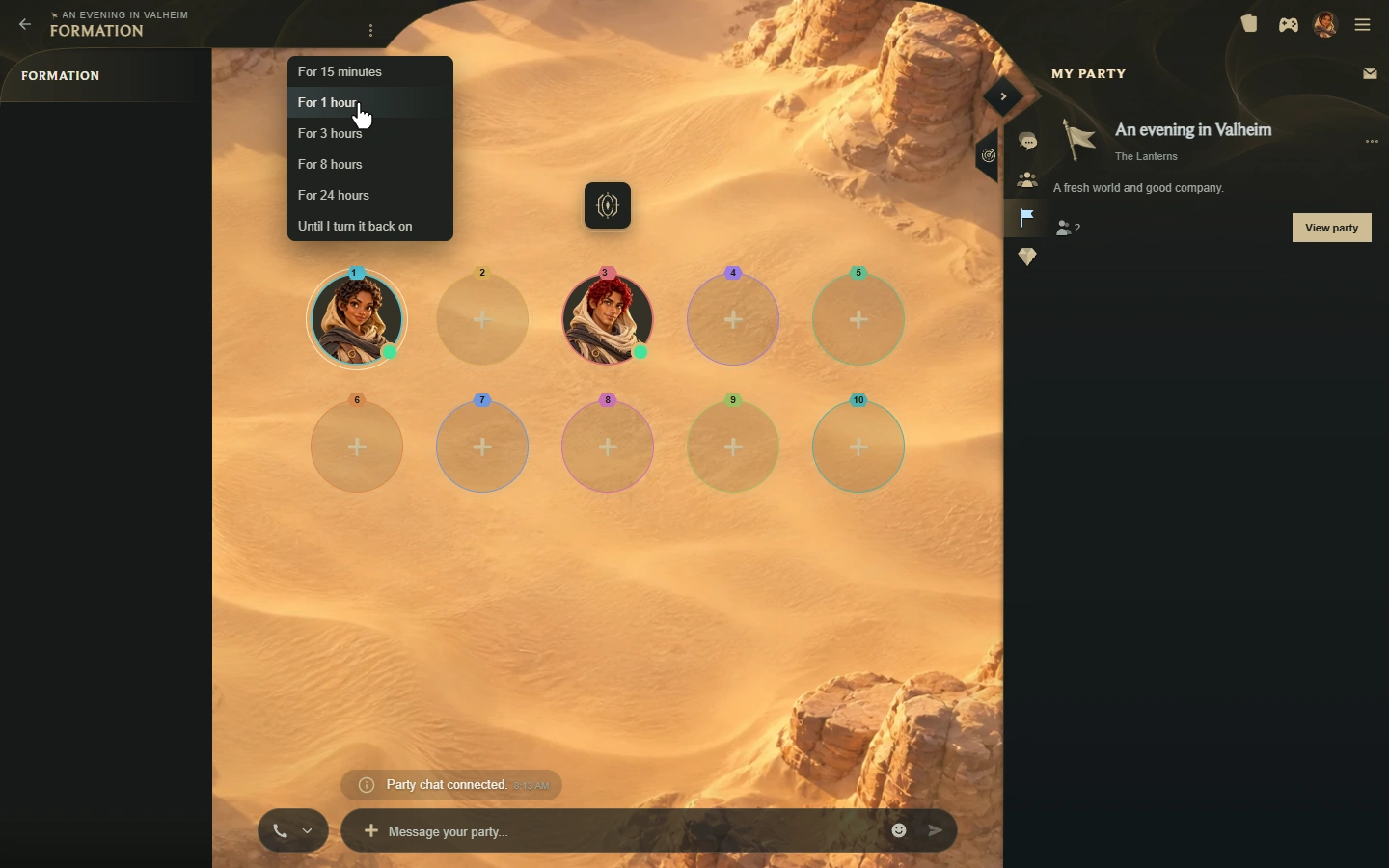
Mute notifications for 15 minutes, 1 hour, 3 hours, 8 hours, 24 hours, or until you turn them back on. You can unmute early from the same options.
Notification options now extend across conversations, text channels, channel catalogs, groups, and parties. Unread channel counts and directory indicators help you find activity when you return, including counts on collapsed catalogs.
Organise channels into catalogs
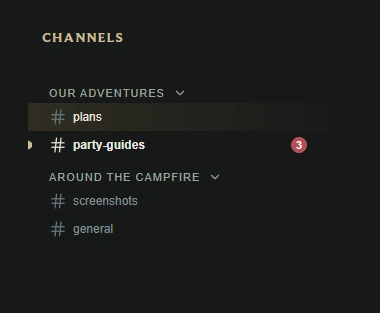
Panel catalogs let you arrange text channels under named, collapsible headings. Where you have management permission, create or rename a catalog, create a channel inside it, and organise the directory around the way your community plays.
On larger screens, drag catalogs and channels to reorder them or move channels between catalogs. Keyboard controls with Alt + arrow keys provide another way to arrange the directory. On mobile, press and hold a directory item to open its available options.
- Catalog and channel names support emoji, with an emoji picker in their editors.
- Channel-name guidance explains supported characters and how spaces become hyphens.
- Channels can remain outside catalogs. Deleting a catalog keeps its channels and messages.
- Collapsible channel directories and refined mobile navigation leave more room for the active discussion.
Share the languages you prefer
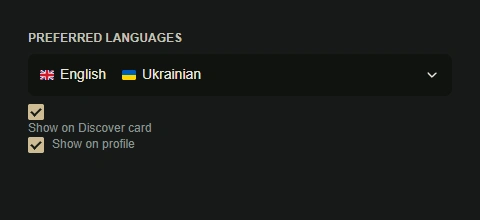
Choose your preferred languages in profile settings using the searchable language selector. Leave the preference at Any when you are open to any language.
Control Show on Discover card and Show on profile separately. Language flags and accessible names help other players read the preferences you choose to share, and longer lists can be expanded. Hidden preferences are omitted from the corresponding shared profile or card data.
More ways to sign in and manage your account
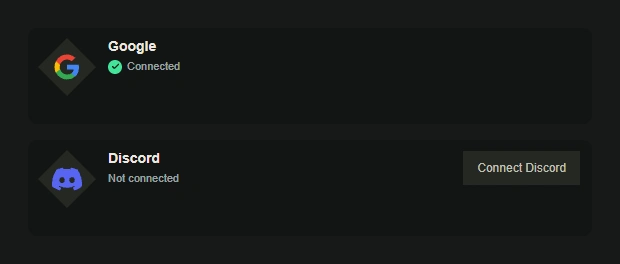
Google and Discord sign-in give you additional ways to access Anemity. New players review and accept the terms before creating an account. Existing players can connect a provider to their current account.
In Settings > General > Connections, connect Google or Discord and see the connection status. If you already use another sign-in method, sign in as usual and connect Discord there.
- Add or update your sign-in email from account settings.
- Set or change your password, with identity confirmation for protected changes.
- Saving a new password signs out other sessions.
- Provider confirmation dialogs, cancellation feedback, and retry actions make account connection steps clearer.
More improvements around the app
- Player cards: cards opened from profile posts, replies, and reposts now follow the same profile-access rules as the page you are viewing.
- Discover: refreshed swipe-action artwork and refined card interactions.
- Mobile: improved directory options, action sheets, invitation cards, navigation headings, and channel layouts.
- Controls: more consistent search, sort, menu, emoji-picker, and attachment controls.
- Appearance: refined avatar backgrounds, reaction badges, profile-card spacing, post actions, and party controls.
Call your party, share the plan, and keep the channels ready for the next time you return. Every game world is worth saving, and every shared adventure gives its players another reason to come back. Tell us what needs another pass through Requested features.
Try Anemity 1.2See you on the next adventure,
The Anemity team